How-to
Sign a PDF without printing or scanning
A lease, a quote, a school form: someone sends you a PDF and wants it back signed. The paper route (print, sign, scan, hope it is readable) takes fifteen minutes and a working printer. Doing it in your browser takes two, and the document never leaves your computer.
Step by step
- Open the PDF signing tool and choose your PDF. The page renders right in the tab so you can see exactly what you are signing; nothing is uploaded.
- Draw your signature with the mouse, a stylus or your finger. You can adjust the pen color and thickness, or import a photo of your real signature instead and make its white background transparent. An optional caption adds your name or the date next to it.
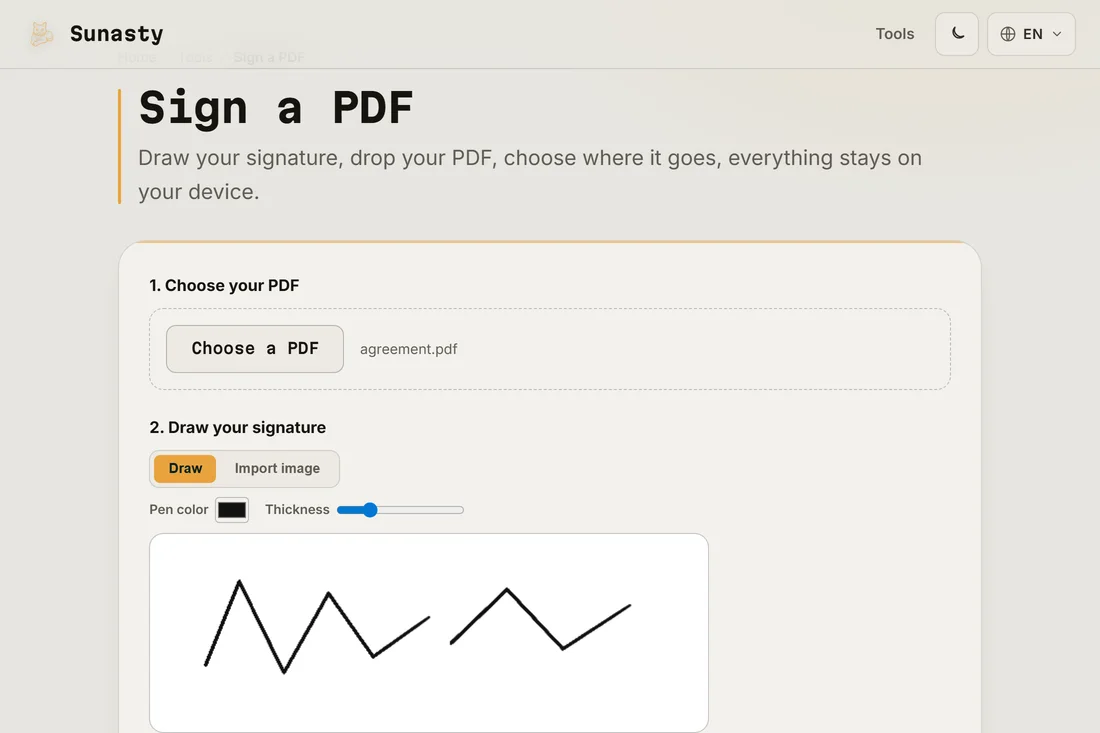
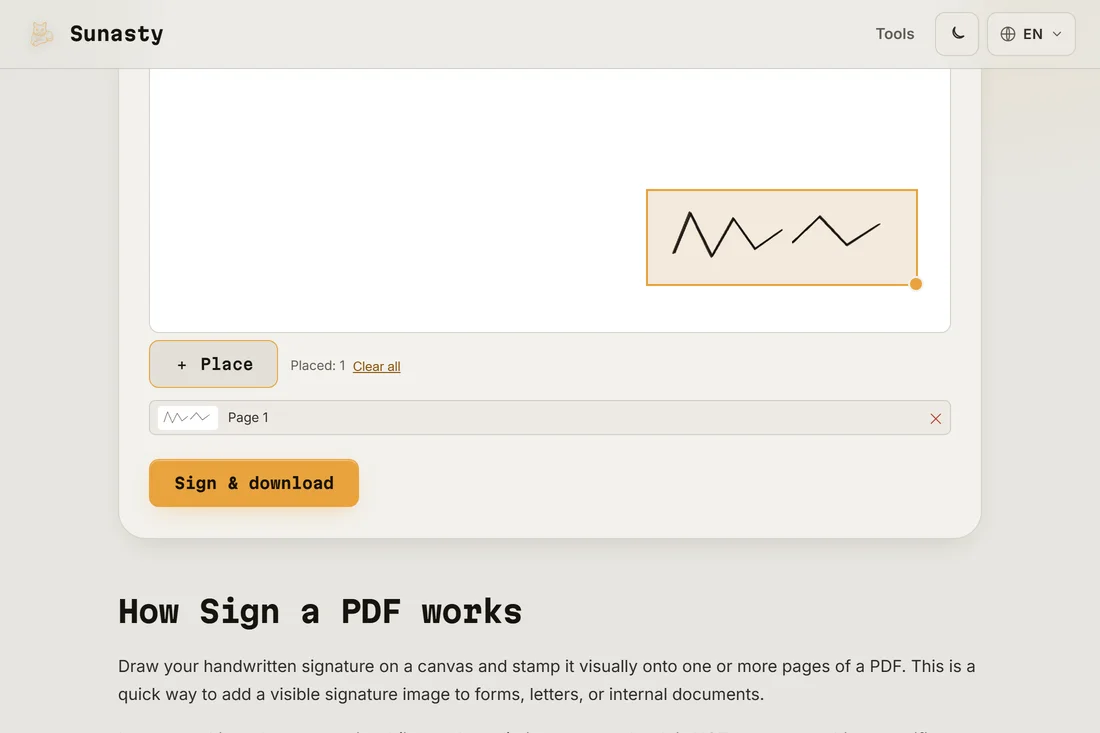
- Drag the signature where it belongs on the page, resize it with the corner handle, click Place (repeat for several spots or pages), then Sign & download. You get the same PDF with your signature stamped in.
Is a drawn signature legally valid?
Let us be precise about what this tool does: it stamps an image of your handwritten signature onto the document, exactly like signing a printout with a pen. For everyday paperwork (leases, quotes, consent forms, internal documents) that is what the other party expects, and it is what the print-sign-scan round trip produces anyway. It is not a certified electronic signature: no cryptographic certificate is attached. For procedures that legally require a qualified e-signature, go through the certified provider the procedure imposes.
Forms, dates and making it stick
If the PDF is a form, fill the text fields first with the form filler, then sign. Your signature can be saved in this browser (and only in this browser) so the next document takes ten seconds. And to discourage edits after signing, run the result through the flatten tool: it merges fields and stamps into the page itself, so they can no longer be moved or edited in a PDF editor.
The tools used in this guide
- Sign a PDF Draw your signature and stamp it onto a PDF, directly in your browser. No upload.
- Fill PDF forms Fill interactive form fields (text, checkboxes, radio, dropdown) in a PDF directly in your browser. No upload.
- Flatten PDF Make form fields and annotation appearances permanent (non-editable) in your browser. No upload.
Frequently asked questions
How does pdf-lib stamp the signature without a server?
The tool uses pdf-lib, a pure JavaScript PDF engine that runs entirely in your browser. It parses the PDF structure in memory, appends the signature as a new image object on the target page, and serialises the modified document back to a byte array. The resulting file is handed to you through a download link. A contract or a lease is the last thing you want sitting in transit on a stranger’s machine: with pdf-lib, none of that routing ever happens.
Can I reuse my signature on the next document?
Yes. You can save the drawn signature on your device: it is stored in your browser’s local storage only, never sent anywhere, and one click deletes it. Next time, load the PDF and reuse the saved signature.