How-to
Remove EXIF and GPS data from a photo before sharing it
Photos taken with a phone or camera embed EXIF metadata: device model, capture date, settings, and often the exact GPS coordinates of where you stood. The EXIF reader here shows what a photo reveals and produces a clean copy, entirely in your browser, because uploading a photo somewhere to protect your privacy would defeat the point.
Step by step
- Open the EXIF reader and choose your photo. It is read locally and the metadata appears as a table, grouped by type: device, EXIF, GPS, IPTC.
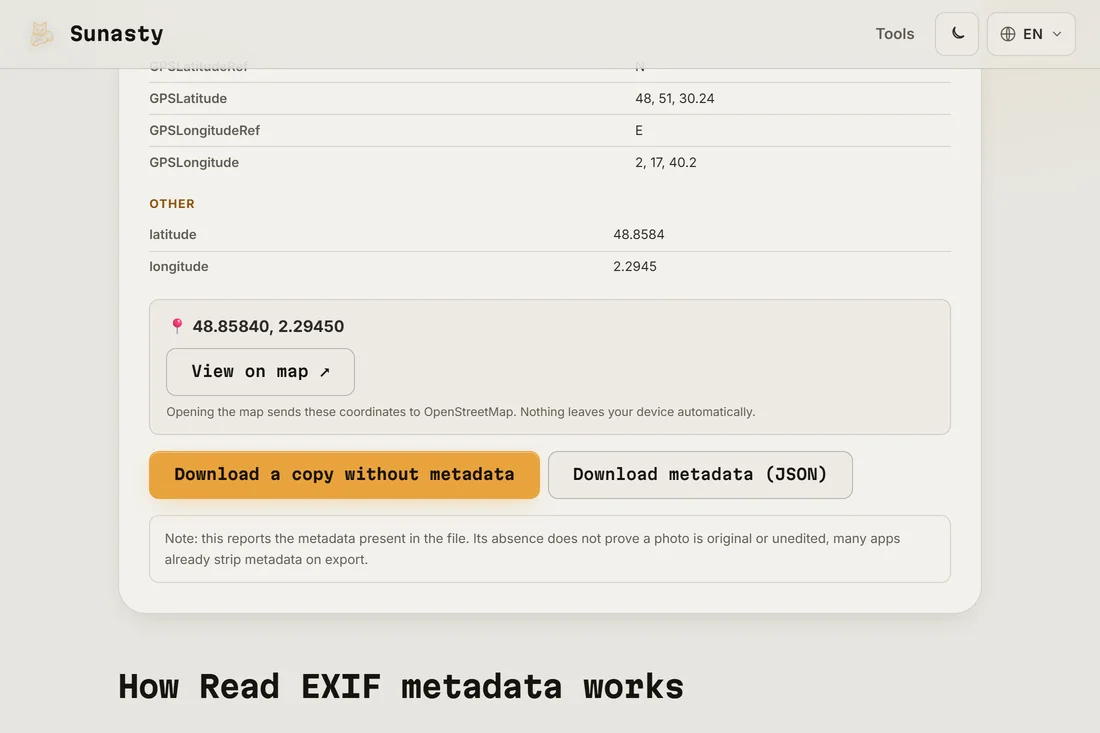
- Review what is there. If the photo is geotagged, a GPS block shows the exact coordinates; the map link is opt-in and clearly labeled, nothing is fetched on its own.
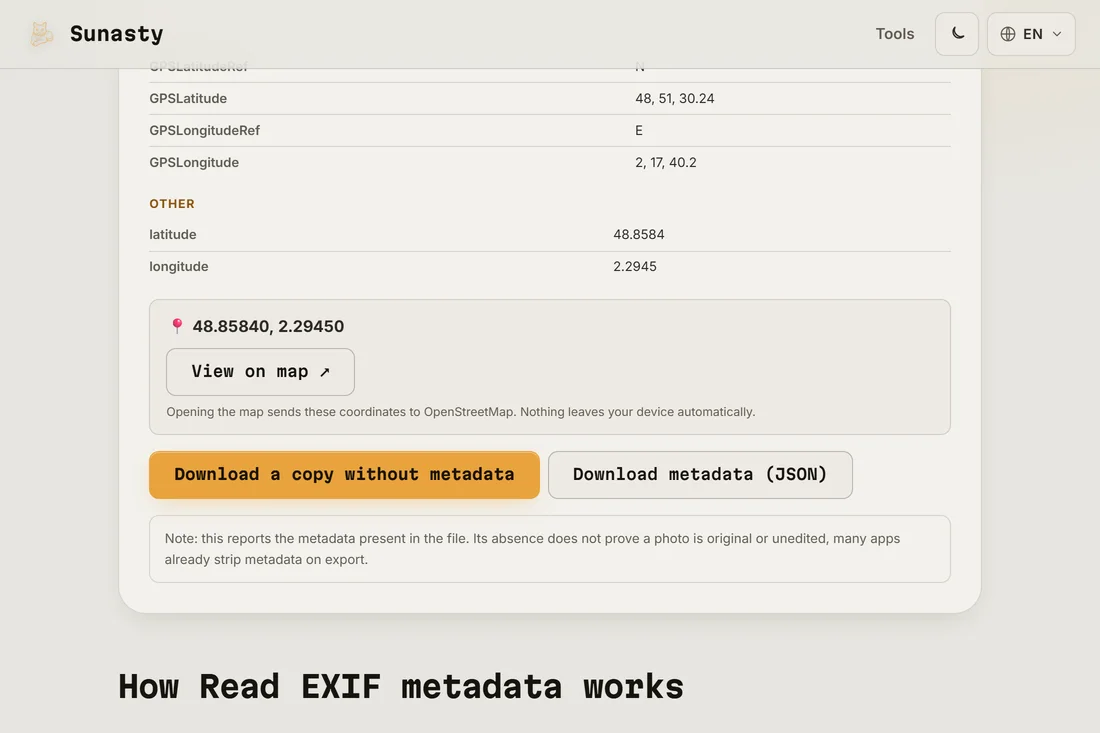
- Click the button to download a copy without metadata. The image is re-encoded with the orientation baked in and zero metadata; the original file on your device is left untouched.
What your photos reveal
A geotagged photo of your breakfast can pin your home to within a few meters, and a series of them draws your routine. Beyond GPS there is the device model, the capture time and the editing software, enough to correlate photos across accounts. Some platforms strip metadata on upload, but files shared by email, cloud links or as documents in messengers usually travel with everything intact.
How the reader works without an upload
The tool reads the raw JPEG or PNG bytes using the browser's File API, then walks the binary structure to extract EXIF, IPTC and XMP blocks without sending anything over the network. Stripping works the same way: the image data is copied out while the metadata blocks are left behind, and the result is encoded back to a JPEG or PNG in memory. The approach is self-defeating any other way: uploading a photo to a third-party server in order to remove its location tag just relocates the privacy problem.
The tools used in this guide
- Read EXIF metadata View and strip EXIF metadata from your photos without sending them to a server.
- Redact image regions Blur or black-box sensitive areas of your images before sharing, no upload.
- Compress images Reduce image file size without uploading. Quality slider or target file size in KB. Batch supported.
Frequently asked questions
Do social networks remove EXIF data for me?
Large platforms usually re-encode images on upload, which drops most metadata for viewers. But that is a side effect, not a promise, and it does not cover email attachments, cloud drive links or files sent as documents in messaging apps. When location matters, strip the photo yourself before sharing it anywhere.
Does removing metadata change how the photo looks?
The clean copy is re-encoded at high quality, with the rotation flag baked into the pixels so the image still displays upright everywhere. Side by side with the original, the difference is not visible in normal use, and your original file stays untouched on your device.