How-to
Bates number a legal PDF without uploading it
When you produce documents in litigation or share an exhibit set with opposing counsel, every page needs a unique reference so anyone can cite it later. That reference is the Bates number: a prefix, a zero-padded counter and an optional suffix, stamped in a corner of each page. The Bates tool does this in your browser, so a confidential production set never leaves your machine. Drop the PDF in, set the prefix and starting number, download the stamped copy.
Step by step
- Open the Bates numbering tool and choose your PDF. The file stays on your disk; the page count it reports tells you how many labels will be stamped, one per page in document order.
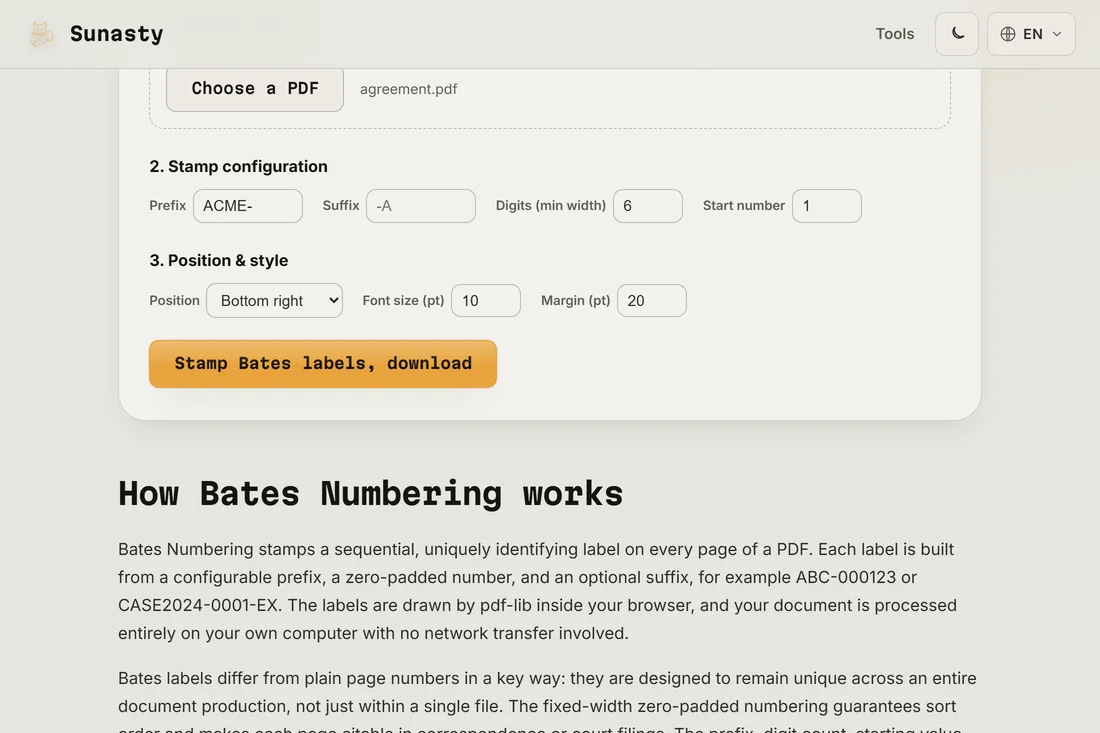
- Set the stamp itself. Type a prefix that identifies the producing party (ACME- is a common shape), choose the digit width so the counter is zero-padded to a fixed length (six digits gives ACME-000001), and set the start number to continue a sequence from a previous batch. A suffix is optional, for a confidentiality tag such as -CONF.
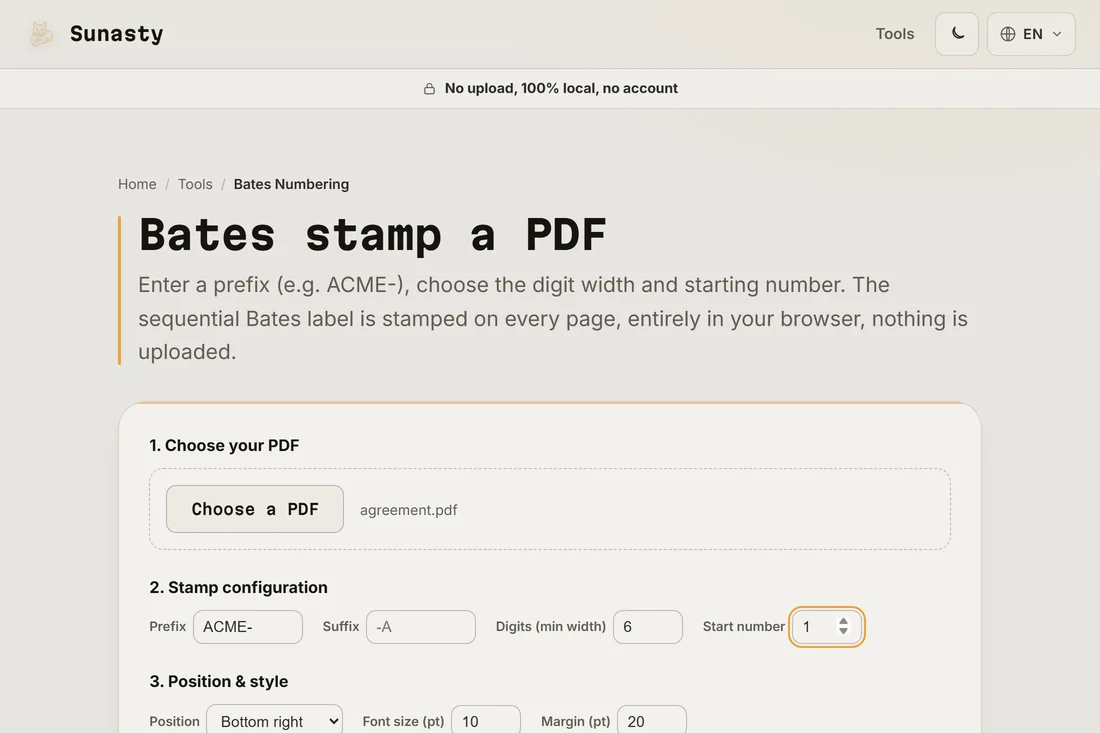
- Choose the corner and font size, then stamp and download. The label is written into the PDF as permanent page content, not a viewer note, so it prints and shows in every reader. Your original file stays untouched on your disk.
Why legal documents use Bates numbers
A Bates number gives every page in a production a single, unambiguous identifier. During discovery, both sides exchange thousands of pages, and a witness who refers to ACME-001423 points everyone to the exact same page in seconds. The prefix records who produced the set, the counter never repeats, and because the label is the same regardless of how the file is later split or merged, the reference survives the life of the case. This is not legal advice, only an explanation of the numbering convention.
Continuing a sequence across several batches
Productions usually arrive in waves, so the second batch must pick up where the first stopped. If batch one ended at ACME-000500, set the start number to 501 for batch two and keep the same prefix and digit width: the numbering reads as one continuous series. When several PDFs belong to a single production, merge them first with the PDF merger, then stamp the combined file once so the count runs cleanly from the first page to the last.
What Bates stamps contain and how they are applied
A Bates stamp is a text string printed at a fixed position on each page of a document, typically in a footer or corner. It follows a structured format: a prefix that identifies the producing party or case (for example "DEF-EX-"), followed by a zero-padded sequential integer (for example "00042"), sometimes with a suffix. The padding width determines how many digits are reserved and must be chosen to accommodate the full document set without varying string length mid-sequence. When applied in software, the tool iterates over every page, formats the stamp string for that page index, then writes it as a new text element in the page's content stream at the specified X/Y coordinates, using a specified font size and typeface. The original page content is not modified.
The tools used in this guide
- Bates NumberingStamp sequential Bates labels (prefix + zero-padded number + suffix) on every page of a PDF. Legal-grade, 100% offline.
- Add page numbersAdd page numbers to every page of a PDF (position, font size, format) without uploading.
- Add PDF Header & FooterAdd custom header and footer text to every page of a PDF, supports {page}, {total} and {date} tokens. 100% in your browser, no upload.
- Merge PDF filesCombine multiple PDF files into one, directly in your browser.
Frequently asked questions
Can I continue numbering from a previous production batch?
Yes. Set the start number to one past where the last batch ended. If the previous set finished at ACME-000500, enter 501 as the start number and keep the same prefix and digit width. The new pages then read as a continuous extension of the original series.
Are the Bates numbers permanent, or just a viewer overlay?
They are stamped into the PDF as real page content, the same way text and images are. They appear in every PDF reader, in print, and in page thumbnails. There is no dependency on a particular viewer and no separate annotation layer that a reader could hide.