Article
Why PDFs are so hard to edit
Opening a PDF and expecting to change a sentence the way you would in a word processor is a common source of frustration. A Word document stores paragraphs, styles and reflow rules; a PDF stores a finished page. Here is what actually lives inside a PDF, why that makes true text editing hard, and what our tools can and cannot do about it.
A PDF describes a page, not a paragraph
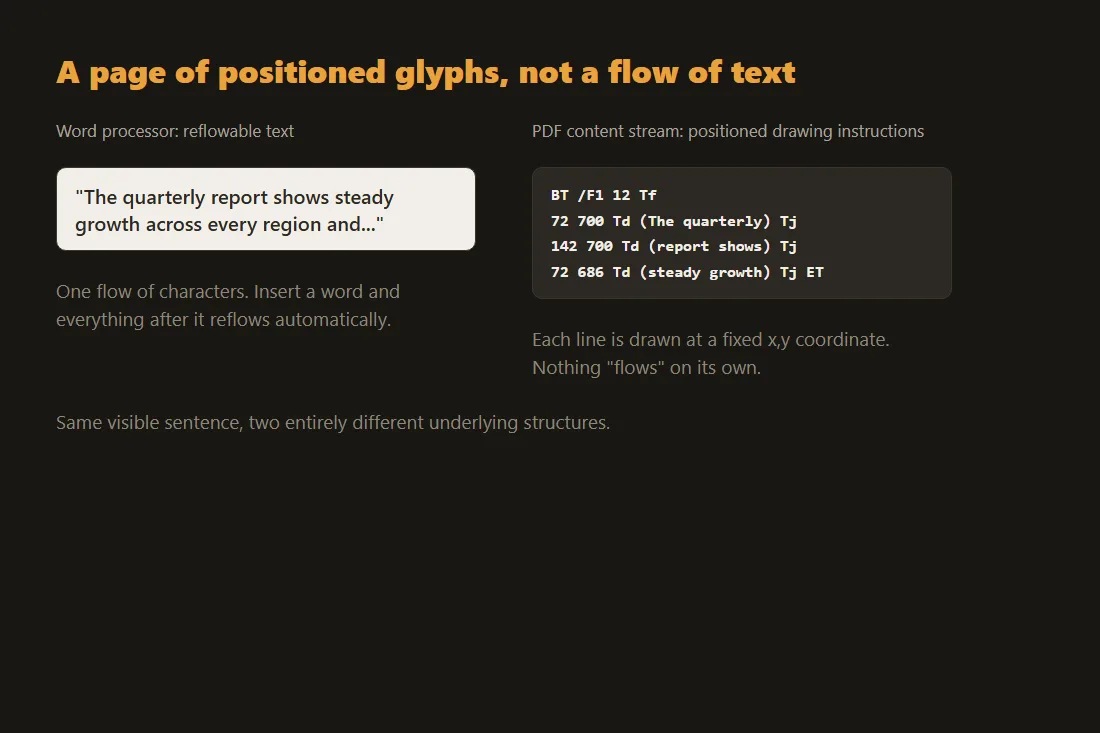
The Portable Document Format, standardized as ISO 32000, was designed so a page looks identical on every device and printer: it stores a content stream of low-level drawing instructions, place this glyph at this x,y coordinate, rather than paragraphs of reflowable text. A word processor's file format keeps text as a flow of characters with styles and layout rules attached; a PDF keeps the finished layout itself. That is the entire reason it renders identically everywhere, and the entire reason moving a sentence is not a simple text edit.
Why a sentence does not just move
In a reflowable document, lengthening a sentence pushes the rest of the paragraph down automatically. A PDF has no such rule: each line of text is a separate positioned object, so inserting a word means recalculating and repositioning every glyph after it, on that line and often on every line below it, to avoid overlapping text. Software that lets you edit a PDF like a document is quietly reconstructing this flow behind the scenes, which is why the results can shift spacing, fonts or line breaks in ways a native word processor never would.
What our PDF editor actually does
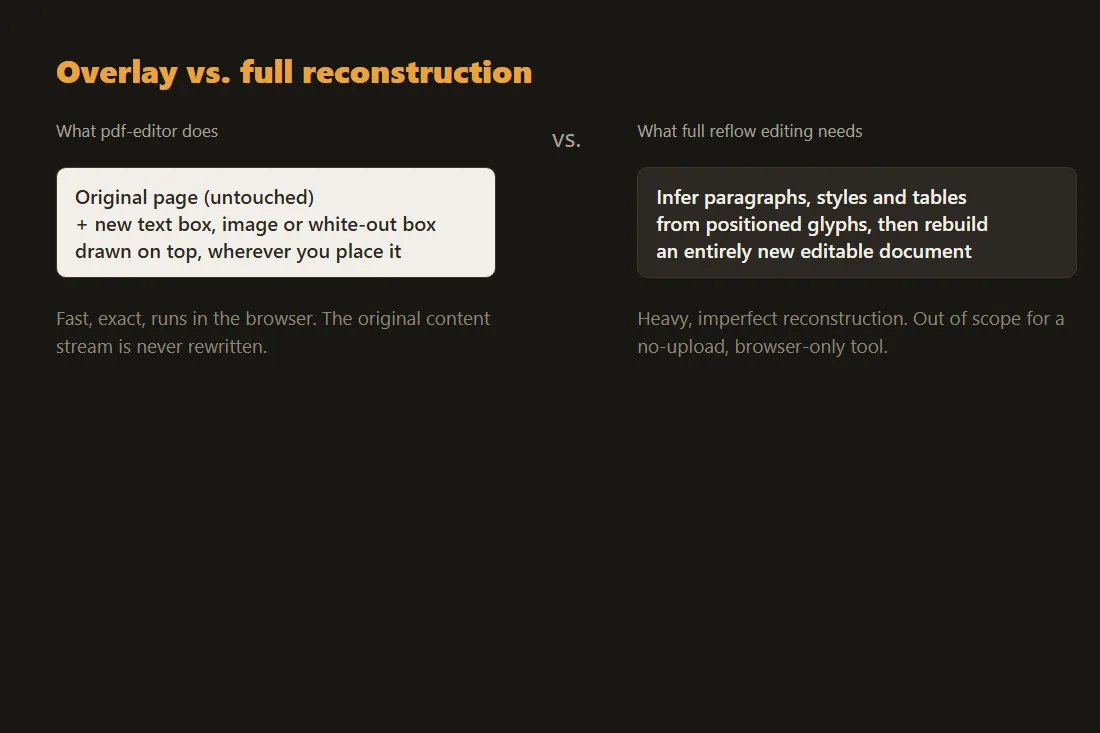
Our PDF editor adds text boxes, images, highlights and white-out rectangles on top of the existing page, positioned wherever you place them; it does not touch or reflow the original content stream underneath. That covers the common real cases: filling a blank on a form, adding a stamp or a note, covering a line before printing. It does not turn a PDF back into an editable paragraph the way a word processor would, because that would require rebuilding the document's structure, not just drawing over it.
When you actually need the text, not the layout
If the goal is to reuse the wording, copy it out instead of editing the page in place: our PDF-to-text tool extracts the underlying character objects, or runs OCR on a scanned page that has none, into plain text you can paste into any editor and reformat from scratch. That sidesteps the reflow problem entirely, since you are working with the words, not the fixed page they were drawn on.
Converting a PDF back into a Word document
Turning a PDF into a fully editable, reflowable Word file is a different, much harder problem: it needs to infer paragraph boundaries, styles and table structure from a page that only recorded positioned glyphs, which is exactly the kind of heavy, imperfect reconstruction a server-side tool does. That is genuinely out of scope for a browser-only site built around never uploading a file: it is not something we do, and any tool claiming a perfect PDF-to-editable-Word conversion is doing lossy guesswork somewhere.
Tools in this article
Frequently asked questions
Can I edit the actual text of a PDF for free without uploading it?
You can add new text, images and cover-up boxes on top of the page with our PDF editor, entirely in your browser. Changing the original text in place, the way you would in a word processor, needs the document rebuilt as a reflowable file, which is a different and much heavier operation than overlaying elements.
Why does copying text out of a PDF sometimes produce a jumbled mess?
PDF text objects are positioned independently and do not have to be stored in reading order. A page laid out in columns, for instance, can have its underlying objects ordered top to bottom across the whole page rather than column by column, so a straight copy-paste can interleave unrelated lines.
Is there a real way to get a PDF's content into an editable Word file?
Dedicated conversion services attempt it by inferring paragraphs and styles from the page layout, with mixed results depending on how complex the original document is. That reconstruction is not something a client-side, no-upload tool can do losslessly, which is why it stays outside what this site offers; extracting the text with pdf-to-text and reformatting it yourself is the honest alternative.