Article
Compare code snippets without uploading them
Every time you paste two files into an online diff tool, that code leaves your machine. Config files, database queries, API keys buried in a .env snippet: all of it travels to a server you do not control. This article covers how diff algorithms work, what granularity options mean in practice, and why keeping the comparison local matters.
What a Diff Computes
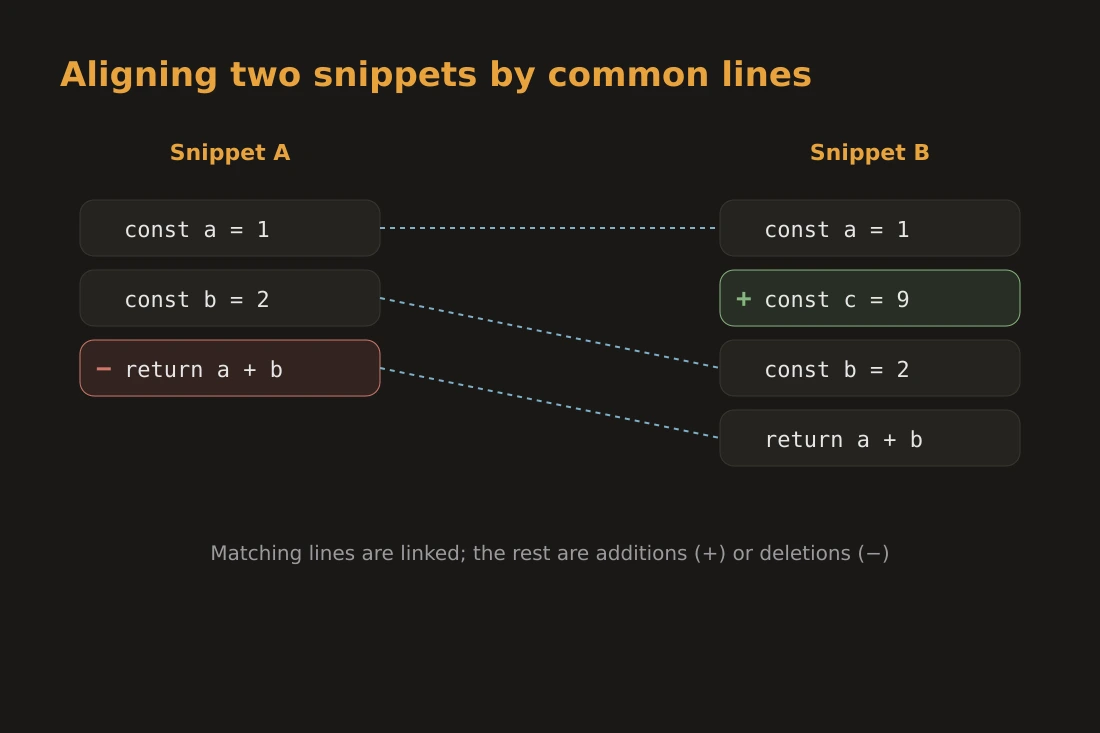
A diff tool takes two texts and finds the minimal set of changes that converts one into the other. The core idea is the longest common subsequence, or LCS: the longest sequence of lines (or tokens) that appears in both texts in the same order, even if not adjacent. Everything not in that common subsequence is either an addition in the new version or a deletion from the old one. The classic algorithm for this is due to Myers (1986), which finds the shortest edit script in O((N+M)D) time, where N and M are the lengths of the two texts and D is the number of edits. In practice, most tools add a preprocessing step to ignore leading common lines and trailing common lines, reducing the problem to the changed region. The result is a patch: a sequence of hunks, each describing a contiguous block of context lines, deletions, and additions. This is the format used by Unix diff, Git, and most code review tools.
Line, Word, and Character Granularity
The granularity of a diff determines what counts as a unit of comparison. Line-based diff is the default in most tools: each line is treated as a single token. This is fast and produces output that is easy to read in context, but it marks an entire line as changed even if only one word on that line differs. Word-level diff splits each line into words before running LCS. This gives a finer picture of what changed within a line, which is useful for prose, configuration values, or JSON. Character-level diff goes further and can highlight a single changed letter inside a long identifier. Whitespace handling adds noise. A line ending in CRLF and the same line ending in LF will show as different under a strict byte comparison. Most tools offer a flag to normalize line endings before diffing. Similarly, trailing spaces, tab-versus-space indentation, and blank lines can all produce spurious diff output. Enabling whitespace normalization is usually the right default when comparing code from different editors or operating systems.
The Privacy Risk of Online Diff Tools
Online diff and pastebin services are convenient: open a URL, paste two snippets, get a colored output. The problem is that the text you paste is transmitted to a third-party server. Depending on the service, that text may be logged, indexed, stored indefinitely, or shared with analytics providers. This matters most when the code contains sensitive material. Hardcoded credentials, internal hostnames, proprietary business logic, or personally identifiable data can all end up in a paste. Even without explicit secrets, the structure of internal code can reveal architecture decisions you would prefer to keep private. The risk is not hypothetical. Security researchers have repeatedly found credentials and internal tokens in public pastes. Some services retain pastes even after a user deletes them, because copies exist in caches or backups. There is no way to verify what a remote service does with the text once it arrives. The only reliable mitigation is to keep the diff local, which means running it in a tool that never sends the text over the network.
Practical Uses for a Local Diff
Diff is not only for code review. A few common cases where a local diff is useful: Reviewing edits to a document or configuration file before committing. Comparing two versions of a Dockerfile, a Nginx config, or a Kubernetes manifest to understand exactly what changed between deployments. Checking config drift between environments. If production and staging configs are supposed to be identical except for hostnames and secrets, a diff immediately shows any unintended divergence. Comparing API responses during debugging. Pasting two JSON payloads from a REST or GraphQL API and running a word-level diff pinpoints added fields, changed values, or removed keys without reading through hundreds of lines manually. Reviewing LLM-generated code against a baseline. When a model rewrites a function, a line-level diff shows which logic changed and which stayed the same, faster than reading both versions independently. In all these cases, the text involved can be sensitive, and keeping it off a remote server is the straightforward choice.
Doing It in the Browser, Without Uploading
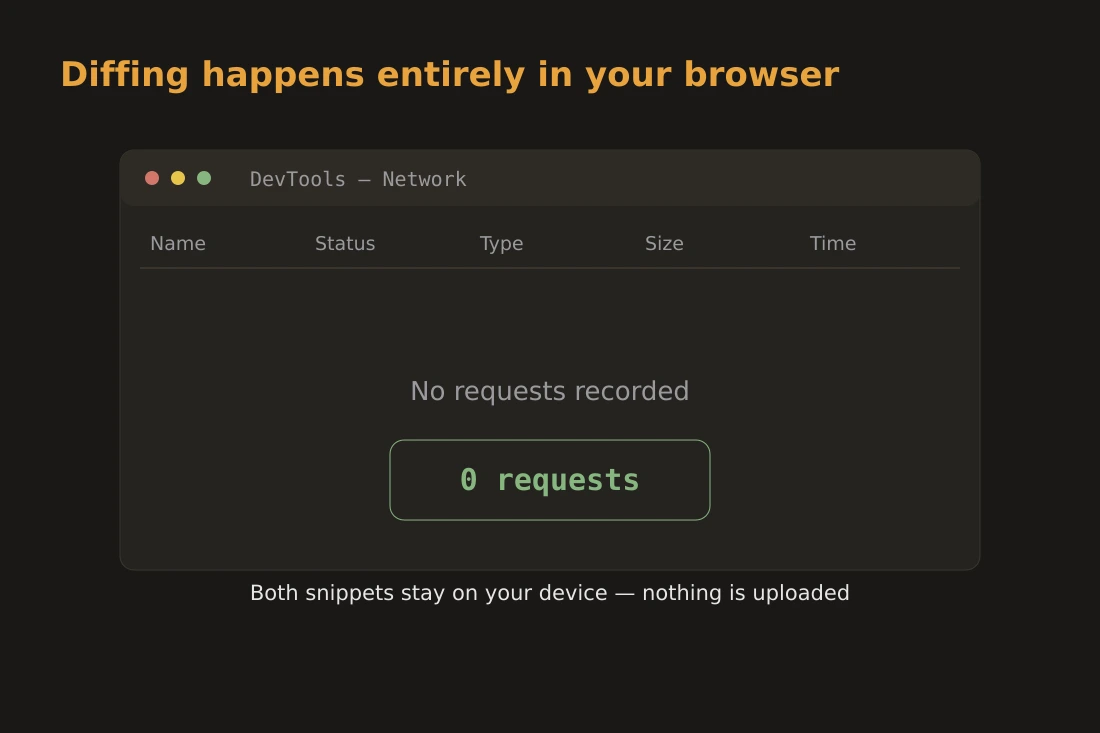
The text-diff tool on this site runs the entire diff computation in your browser using JavaScript. You paste two texts into the two panels and the diff renders immediately, line by line, up to 3000 lines per side. Nothing is sent to a server. The text never leaves your device. The implementation uses a standard LCS-based algorithm operating on lines: each line is a token, and the tool works out whether it is unchanged, added, or removed by finding the longest common subsequence between the two versions. Unchanged lines render with no highlight, added lines in green, removed lines in red, next to a running count of additions and deletions. There is no word-level or character-level mode and no whitespace-normalization toggle today, so a line that differs only in trailing whitespace or line-ending style still shows as changed. Because the computation runs client-side, it works offline. There is no account, no history, no retention. You can compare a local config file against a template, review a patch before applying it, or check two API responses without any of that text reaching a third party.
Tools in this article
Frequently asked questions
Is line-based diff or word-based diff better for code?
For most code review tasks, line-based diff is the standard and the easiest to read, because code is structured by lines. Word-based diff can help when lines are long and only a small part changed, such as in a single-line JSON value, but this tool compares at the line level only; for that case, use the highlighted line as a pointer and eyeball the smaller difference within it.
Why do online diff tools pose a privacy risk even if they use HTTPS?
HTTPS protects the text in transit from eavesdropping, but it does not protect it once it reaches the server. The service operator has full access to the pasted content and can log, store, or share it. TLS is about transport security, not about what the recipient does with the data.
Does the text-diff tool store any history of past comparisons?
No. The tool has no backend and makes no network requests. Once you close or reload the tab, the text is gone. There is no account, no saved history, and no server-side log.