Article
Encode and decode data privately
Developers paste tokens, payloads and credentials into encoder and decoder pages every day. The convenient ones run on a server, which means your data leaves your machine for a task that never needed to. These four tools run entirely in your browser, so the data stays with you.
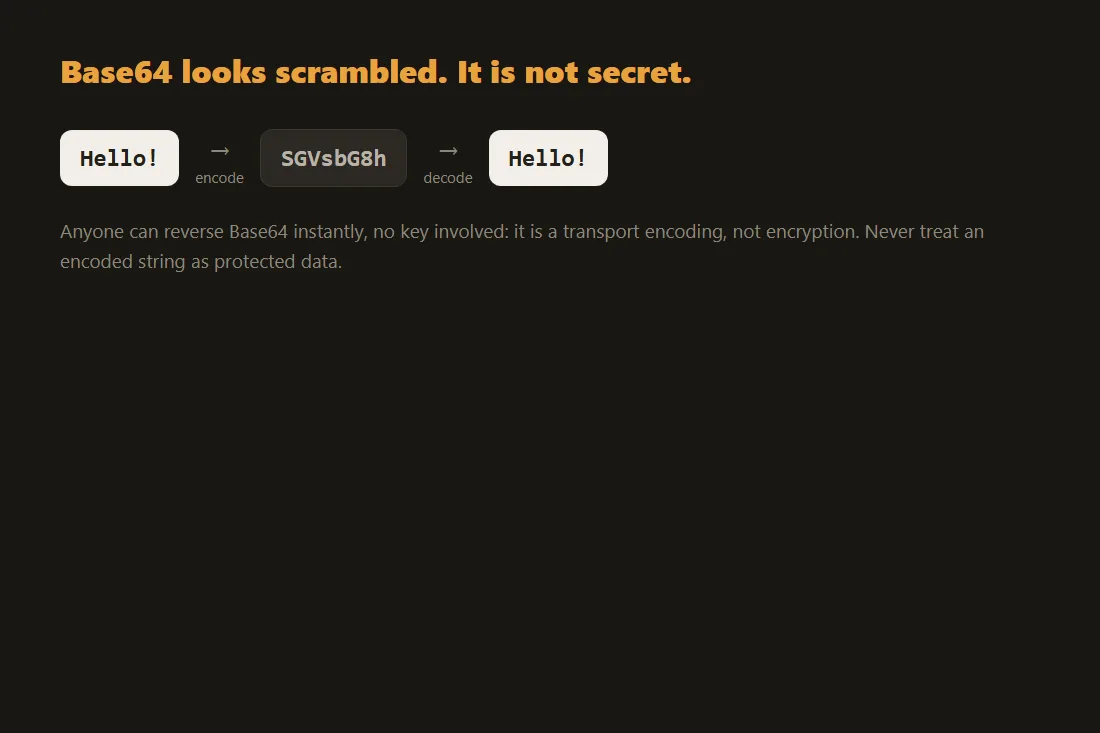
Base64: it looks scrambled, it is not secret
Base64 is an encoding, not encryption. It turns binary data into text that survives copy and paste or transport through systems that only handle plain characters. Anyone who sees the Base64 string can decode it back to the original in one step, so a string that contains an API key, a private certificate or an email body is fully readable to whoever holds it. The risk is that the value often hides inside config files, data URLs or auth headers and feels obscure, which tempts people to paste it into the first decoder they find online. That decoder receives the raw secret. A tool that decodes Base64 locally shows you the original bytes without the value ever reaching a server.
URL encoding: query strings carry more than you think
Percent-encoding lets you put spaces, accents and reserved characters into a URL safely. The text you encode or decode is frequently a real query string from an application, and those carry session identifiers, search terms, email addresses, redirect targets and sometimes signed parameters. Pasting a full URL into a remote encoder hands all of that to a third party in one go, and query strings are exactly the kind of value that ends up in server logs. Encoding and decoding in the browser means the URL is processed in memory on your own device and is never transmitted while you work on it.
JWT: the payload is signed, not hidden
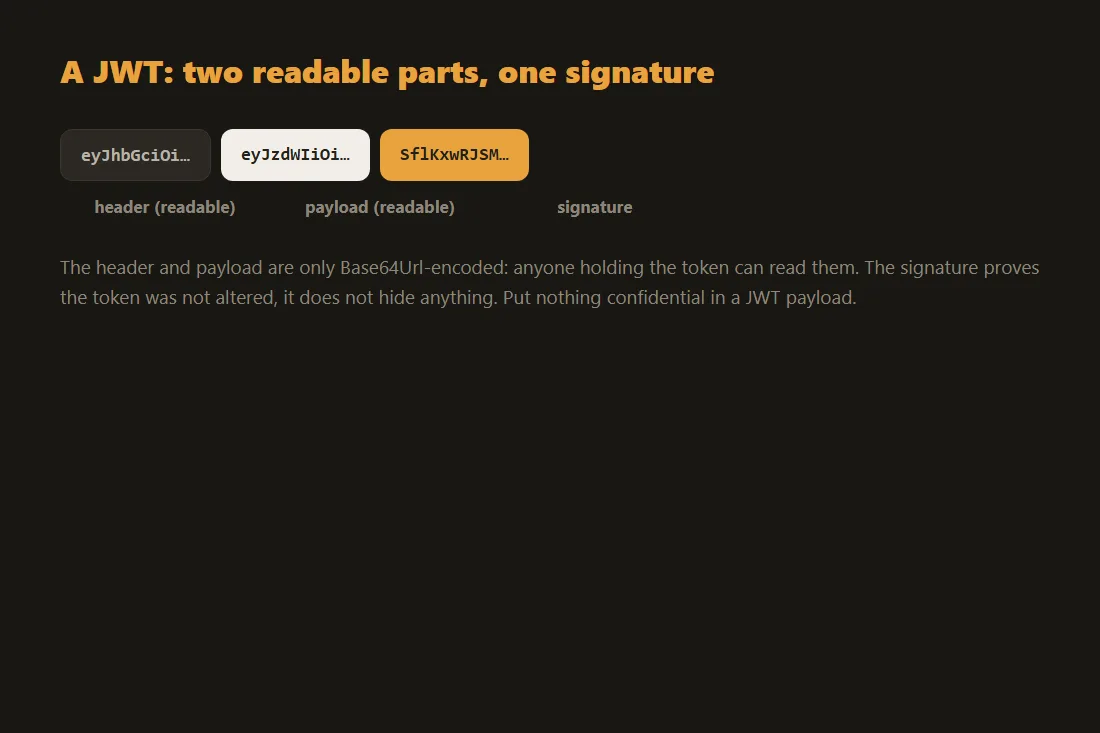
A JSON Web Token is three Base64url sections joined by dots: a header, a payload and a signature. The signature proves the token was not tampered with, but it does nothing to conceal the payload, which decodes to plain JSON containing user identifiers, roles, expiry times and any custom claims the issuer added. A valid token is also a live credential: until it expires, anyone holding it can act as the user. Pasting a working token into an online decoder sends an active credential to a server you do not control. A decoder that parses the token in your browser reveals the same header and payload without that token ever leaving the page.
Hashing: the input matters more than the digest
A hash function turns any input into a fixed-length digest, and you cannot reverse the digest back to the input. That property makes hashing useful for verifying file integrity or comparing values without storing the original. The catch is the input side: to compute the hash of a password, a document or a config secret, you have to feed the real value into the tool. If that tool runs on a server, the sensitive input travels there even though only the harmless digest is returned. Computing the hash locally keeps the input on your device, so you get the digest you need without exposing the thing you were hashing.
Base64 encoding: byte mapping and padding
Base64 translates 8-bit bytes into 6-bit characters by grouping three input bytes (24 bits) into four 6-bit values. Each 6-bit value maps to a character in the Base64 alphabet (A-Z, a-z, 0-9, +, /). Because the process requires inputs divisible by 24 bits, short inputs are padded: one remaining byte produces two padding characters (==), two remaining bytes produce one (=). The Base64url variant, used in JSON Web Tokens (JWTs), replaces + with - and / with _ to make the string URL-safe, and strips the = padding entirely, since padding characters can cause errors in strict URI parsers. Recognizing this distinction matters when debugging token handling: a JWT that looks malformed may simply be Base64url-encoded rather than standard Base64.
JWT signatures: HS256, RS256, and algorithm confusion
A JSON Web Token's security depends entirely on its signature, the third dot-separated segment. With HS256 (HMAC-SHA256), the server signs the Base64url-encoded header and payload using a secret key. The SHA-256 hash function provides collision resistance: it is computationally infeasible to produce a modified payload that hashes to the same signature without knowing the secret key. With RS256, the server signs using an RSA private key and verifies with a public key. A known vulnerability called algorithm confusion arises when a server library does not strictly enforce the expected algorithm type. An attacker can change the token header's alg field from RS256 to HS256 and sign the token using the server's public key as the HMAC secret, since public keys are often accessible. Decoding the JWT header locally in the browser lets you verify which algorithm is actually specified, without exposing the active token to third-party logging systems.
Tools in this article
- Base64 Encoder / DecoderEncode or decode Base64, text and files. No upload, 100% local.
- URL Encoder / DecoderPercent-encode or decode URL strings. No upload, 100% local.
- JWT DecoderDecode a JWT (header, payload, expiry) without sending it anywhere. No signature verification.
- Hash GeneratorGenerate MD5, SHA-1, SHA-256, SHA-512 hashes from text or files. No upload.
Frequently asked questions
Is Base64 or URL encoding a form of security?
No. Both are reversible encodings designed for safe transport of data, not for protecting it. Anyone who can read the encoded string can decode it instantly with no key or password. If you need to keep a value confidential, encrypt it with a proper algorithm and manage the key separately. Treat any Base64 or percent-encoded value as if it were written in plain text.
Why does it matter where I decode a token or hash a password?
Because the input is the sensitive part. A live JWT is a working credential, and the password you hash is the real secret. A server-based tool receives that raw input before it ever returns a result, which means a copy can be logged or retained somewhere you cannot see. A tool that runs in your browser performs the same operation in memory on your own machine, so the token or password is never sent anywhere.