Article
Unix timestamps and cron expressions explained
A Unix timestamp is just an integer. A cron expression is just five fields. Both turn up constantly in backend work, and both trip people up in predictable ways: one because of time zones, the other because of the unit.
What a Unix timestamp is
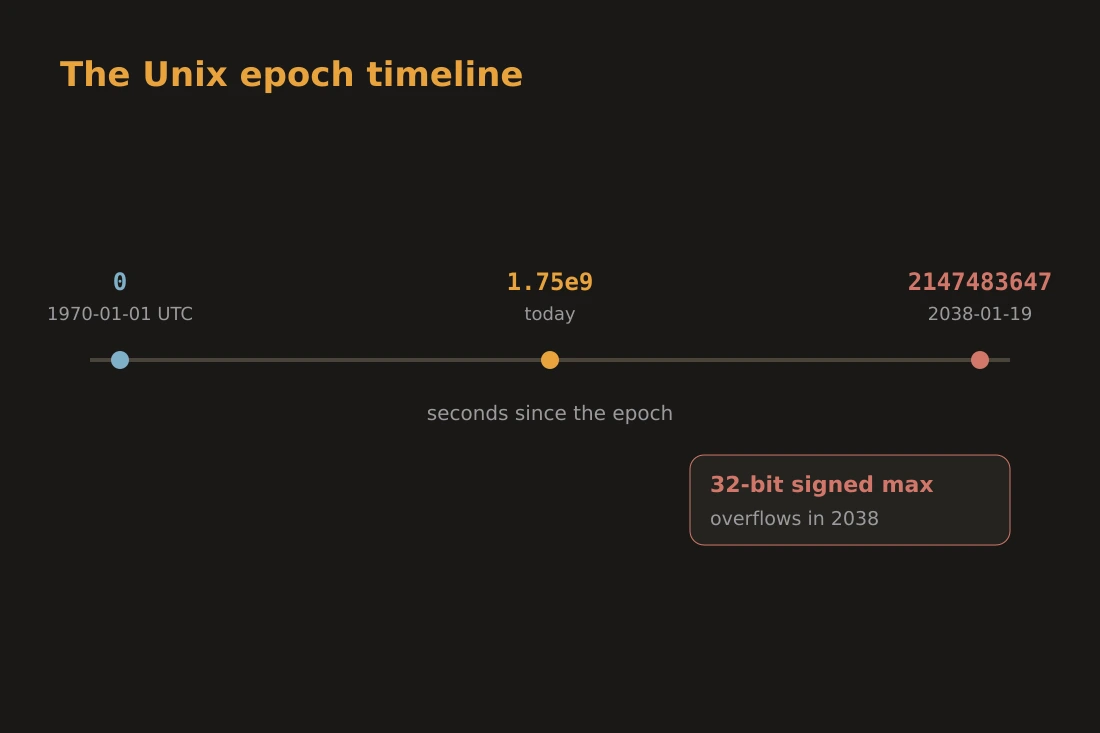
A Unix timestamp counts the number of seconds that have elapsed since 1970-01-01 00:00:00 UTC, a reference point known as the Unix epoch. That definition has two important consequences. First, the count is in UTC: there is no time zone embedded in the number itself. 1718400000 means the same instant everywhere on Earth regardless of where the machine storing it sits. Second, the epoch is defined in seconds, not in any other unit. A value such as 1718400000 is always seconds since midnight 1 January 1970 UTC, unless a system or protocol has made a different choice explicitly. Timestamps are timezone-free by design, which is precisely why they are useful for logging, databases, and inter-system communication where clocks in different regions must refer to the same moment unambiguously.
Seconds, milliseconds, and the year-2038 problem
Many modern runtimes and APIs use milliseconds rather than seconds. JavaScript's Date.now() returns milliseconds, so 1718400000000 is the same instant as the second-precision value 1718400000. When you receive an unfamiliar timestamp, the magnitude tells you the unit: a 10-digit number is almost always seconds; a 13-digit number is almost always milliseconds. The year-2038 problem arises from a different choice: storing a second-precision timestamp in a signed 32-bit integer. The maximum value of a signed 32-bit integer is 2147483647, which corresponds to 2038-01-19 03:14:07 UTC. After that second, the counter overflows to a large negative number and the date rolls back to 1901 on systems that do not handle the boundary. The fix is to use 64-bit storage. Most current operating systems and databases already do, but embedded systems, network devices, and old file formats that fixed the field width decades ago remain at risk.
Converting epoch to a human date: the time zone step
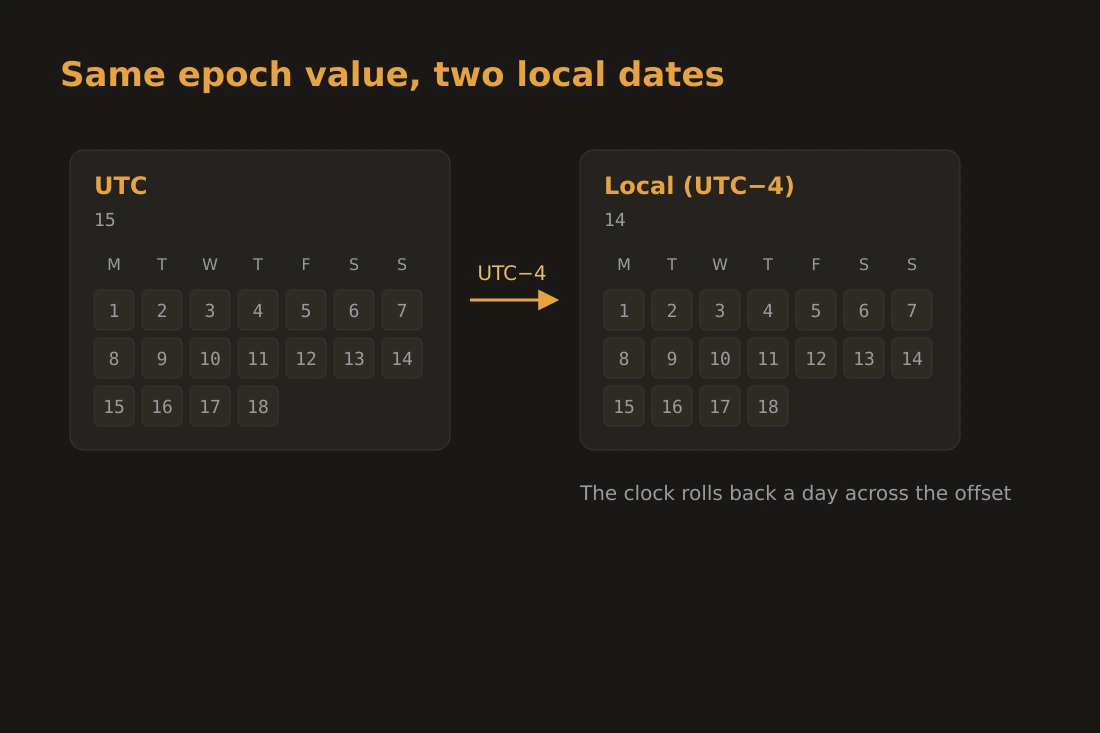
Converting an epoch value to a readable date requires two steps: retrieve the UTC date components from the integer, then apply a UTC offset to get the local time. The timestamp itself is UTC. When you ask what date 1718325000 represents, the correct answer is 2024-06-14 at 00:30 in UTC. In New York (UTC-4 in summer), that same second falls on 2024-06-13 at 20:30 the evening before: the date changes, not just the hour. This is the step that produces wrong results when skipped: a developer logs the raw timestamp in UTC, a reporting tool renders it in local time without conversion, and the date appears to be off by hours or a full day. The timestamp-converter tool on Sunasty handles this explicitly: you enter an epoch value and it shows the UTC date and time next to your device's own local date and time, so a day-boundary crossing like this one is visible at a glance. The conversion runs entirely in the browser and nothing you paste is sent anywhere.
Cron syntax: five fields, ranges, steps, and lists
A cron expression schedules recurring jobs on Unix-like systems. The standard syntax has five space-separated fields: minute (0-59), hour (0-23), day-of-month (1-31), month (1-12), day-of-week (0-7, where both 0 and 7 represent Sunday). A star (*) in a field means "every valid value". The expression 30 8 * * 1-5 runs at 08:30 on Monday through Friday. Ranges use a hyphen: 1-5 covers values 1, 2, 3, 4, 5. Lists use commas: 1,15 means the 1st and 15th. Steps use a slash: */15 in the minute field means every 15 minutes (0, 15, 30, 45). These combinators can appear together: 0-30/10 means 0, 10, 20, 30. One thing cron does not have is a time zone field. The daemon reads the clock of the machine it runs on, which is set to the server's local time zone. If the server runs UTC but a developer expects local time, the schedule fires at the wrong clock hour. The practical rule is to treat cron schedules as server-local-time expressions and document the server's time zone alongside the cron line.
Using the timestamp-converter locally
The timestamp-converter on Sunasty converts in both directions: epoch to human date and human date back to epoch. You can enter a second-precision value or a millisecond-precision value; the tool detects the unit from the magnitude. It shows the result in UTC and in your device's own local time zone side by side, along with the raw seconds and milliseconds values ready to copy. A Now button fills in the current timestamp with one click, which is a quick way to check the current Unix time without opening a terminal. There is no separate time zone picker: the local column always reflects whatever time zone your browser is currently set to. All of this runs in the browser. The value you paste into the field is read by client-side JavaScript and never leaves the device.
Tools in this article
- Timestamp ConverterConvert Unix epoch timestamps to human dates (UTC + local) and back. Auto-detects seconds vs milliseconds.
- Date differenceCount the days, weeks, months and years between two dates, entirely in your browser, nothing uploaded.
- Cron expression parserParse a cron expression and preview its next run times. Private, in-browser.
Frequently asked questions
Why does JavaScript use milliseconds instead of seconds?
JavaScript's Date object was designed to work with sub-second precision from the start, and milliseconds give one thousand times the resolution of seconds without requiring a decimal point. The tradeoff is that values are larger, which is why Date.now() produces a 13-digit number while most server-side timestamps are 10 digits.
Does every server running cron need to be on UTC?
No, but running servers on UTC is a common practice precisely because it removes the ambiguity. When a server is on UTC, a cron expression like 0 2 * * * means 02:00 UTC and that time is stable year-round. On a server in a zone that observes daylight saving, the same job fires at a different UTC instant in summer and winter, and it may fire twice or skip once at the clock change boundary.
What is the safe storage type for timestamps past 2038?
A signed 64-bit integer holds second-precision timestamps up to the year 292277026596, which is well beyond any practical concern. Most current databases store timestamps as 64-bit values by default. If you are working with a legacy schema or a binary file format that uses 32-bit fields, migrating to 64-bit storage before the 2038 boundary is the correct fix.