How-to
How to test a regex without installing anything
You wrote a pattern and you need to know whether it actually matches what you expect before you drop it into code. Installing a desktop tool or pasting a private log into a random website is overkill, and often risky. This guide shows how to run a regex against your own text right in the browser, toggle the flags that change the behaviour, read the capture groups it pulls out, and watch the matches highlight inline, with the pattern and the text never leaving your tab.
Step by step
- Open the regex tester and type your pattern in the field between the two slashes. You do not write the slashes yourself: the tool shows them so you see the pattern the way an engine reads it. Paste your sample text into the box below, for example a few log lines, an email list or a block of code you want to search.
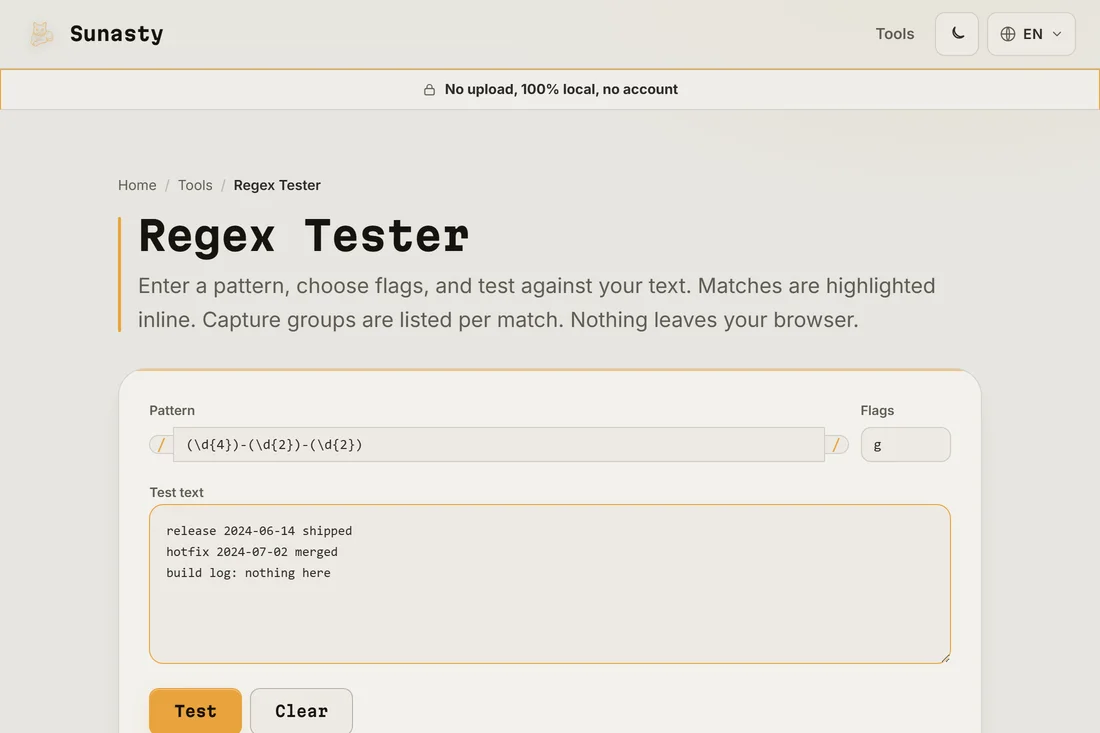
- Set the flags in the small box next to the pattern. The g flag finds every match instead of stopping at the first; i makes the match case insensitive; m lets the anchors ^ and $ match the start and end of each line rather than the whole text; s lets the dot match line breaks too. Combine them freely, for example gim.
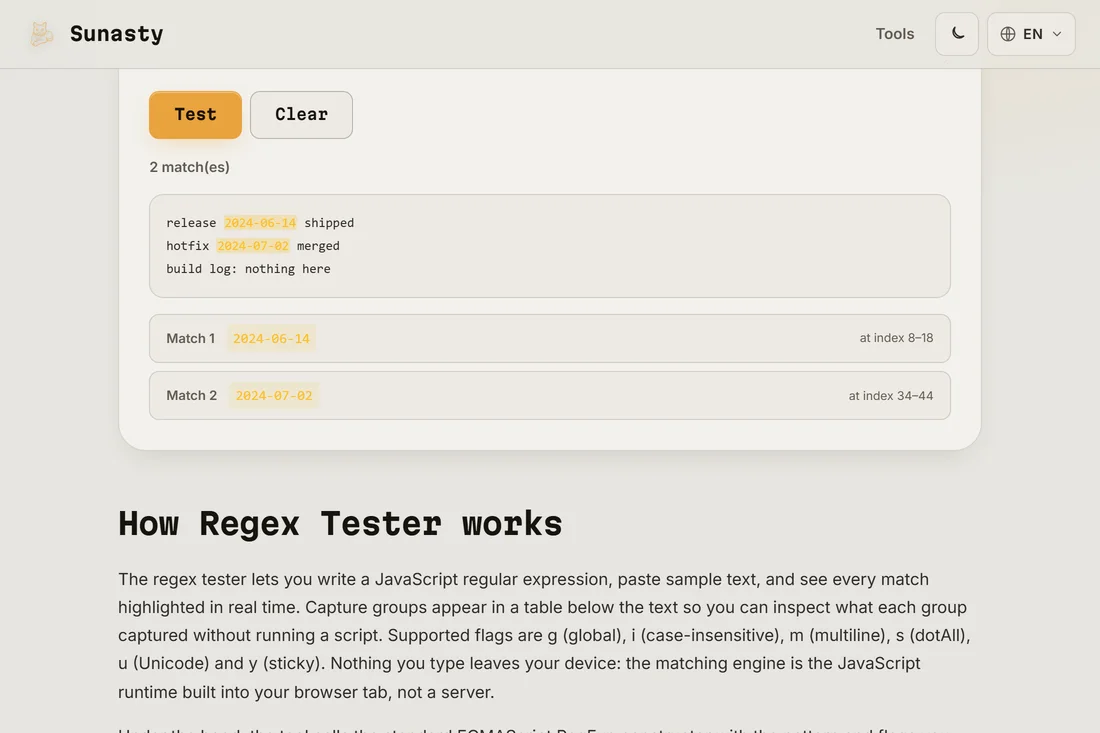
- Press Test. Each match is highlighted directly in your text, and the list below shows every match with its position and the value of each capture group. Tweak the pattern and run it again: the preview updates so you can narrow the pattern down until it catches exactly what you meant and nothing else.
Capture groups, named and numbered
A capture group is the part of your pattern wrapped in parentheses, and it is how you pull a piece out of each match instead of just confirming the whole thing matched. Numbered groups are counted left to right by their opening parenthesis: in (\d{4})-(\d{2})-(\d{2}) group 1 is the year, group 2 the month, group 3 the day. Named groups use the (?<name>...) syntax, so (?<year>\d{4}) reads far better than a bare number when the pattern grows. If you only want to group without capturing, for example to apply a quantifier to several characters, use a non-capturing group (?:...) so it does not crowd your results list. The tester shows the value of every group for every match, which is the fastest way to confirm you are extracting the right slice.
When a pattern hangs or misbehaves
Two problems come up again and again. The first is catastrophic backtracking: a pattern like (a+)+$ run against a long non-matching string can make the engine try an exponential number of paths and freeze. The tester runs each test in a Web Worker with a short watchdog, so instead of a hung tab you get a clear message and can simplify the pattern, usually by making a quantifier possessive in spirit, anchoring it, or avoiding nested repetition. The second is greedy versus lazy matching: by default .* grabs as much as it can, so to match the contents of a single HTML tag you want the lazy form .*? instead. If you are comparing two slightly different versions of a string to see what your pattern should target, the text diff tool lines them up so the difference is obvious before you write the expression.
How the browser evaluates your regex
Modern browsers ship a built-in ECMAScript regex engine that supports the full flag set: case-insensitive matching (i), multiline mode (m), dotAll (s), Unicode (u), and the sticky flag (y). When you type a pattern in the tester, the engine compiles it to an internal NFA and evaluates it against your test string in real time, reporting every match position and any capture groups. Backtracking happens locally on your CPU: a pattern like (a+)+ on a long non-matching string can spin for seconds, and seeing that stall in the browser is useful feedback before deploying the pattern in production code. No text leaves the page, so you can paste log samples or any input without routing it through a third-party server.
The tools used in this guide
Frequently asked questions
Does my pattern or test text get sent to a server?
No. The regex runs inside a Web Worker in your own browser, so the pattern and the text you test against stay in the tab. This matters because the text you paste is often a real log, a customer list or an internal config, exactly the kind of data you do not want on someone else's server. Open the Network panel in your developer tools while you press Test and you will see no request carry your text out. It also keeps working offline once the page has loaded.
Which regex flavour does the tester use?
It uses the JavaScript regular expression engine built into your browser, the same one that runs in Node.js and in any web page. That covers the common syntax: character classes, quantifiers, anchors, alternation, numbered and named capture groups, lookahead and lookbehind. A few features from other flavours, such as Perl-style recursion or possessive quantifiers, are not part of the JavaScript engine, so if a pattern you copied from a PHP or Python project behaves differently, that difference in flavour is usually why.