How-to
How to decode a JWT without leaking it
A JSON Web Token carries real data: the user it was issued to, the scopes it grants, when it expires. Pasting one into a random online decoder means handing that data, and often a still-valid session, to a server you do not control. The decoder below runs entirely in your browser, so you can read what is inside a token, check whether it has expired, and confirm an HMAC signature when you know the secret, all without a single network request leaving your tab.
Step by step
- Open the JWT decoder and paste your token into the input box. A JWT is three Base64Url chunks joined by dots: header, payload, and signature. You can paste it with the Bearer prefix or without; the tool reads the structure either way and tells you immediately if the format is wrong.
- Read the decoded header and payload. The header shows the signing algorithm (for example HS256 or RS256) and the key id when present. The payload lists the claims: who the token is for (sub), who issued it (iss), and the timestamps. The tool turns the numeric iat, nbf, and exp fields into readable dates and flags whether the token is still valid or already expired.
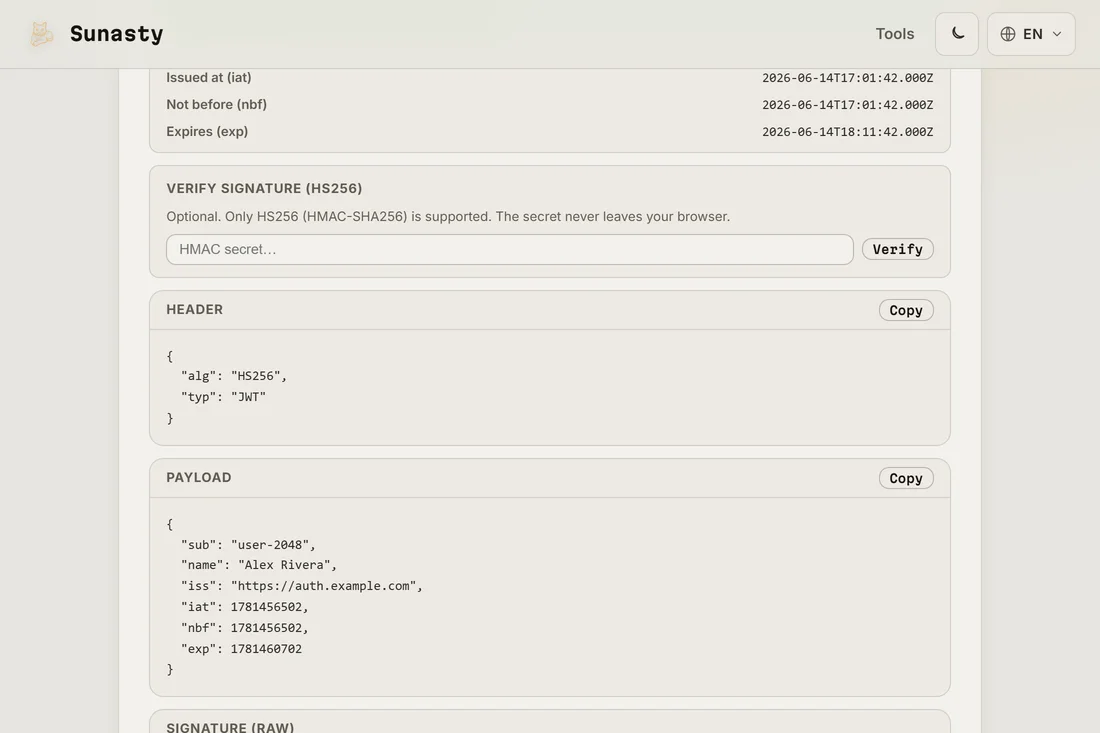
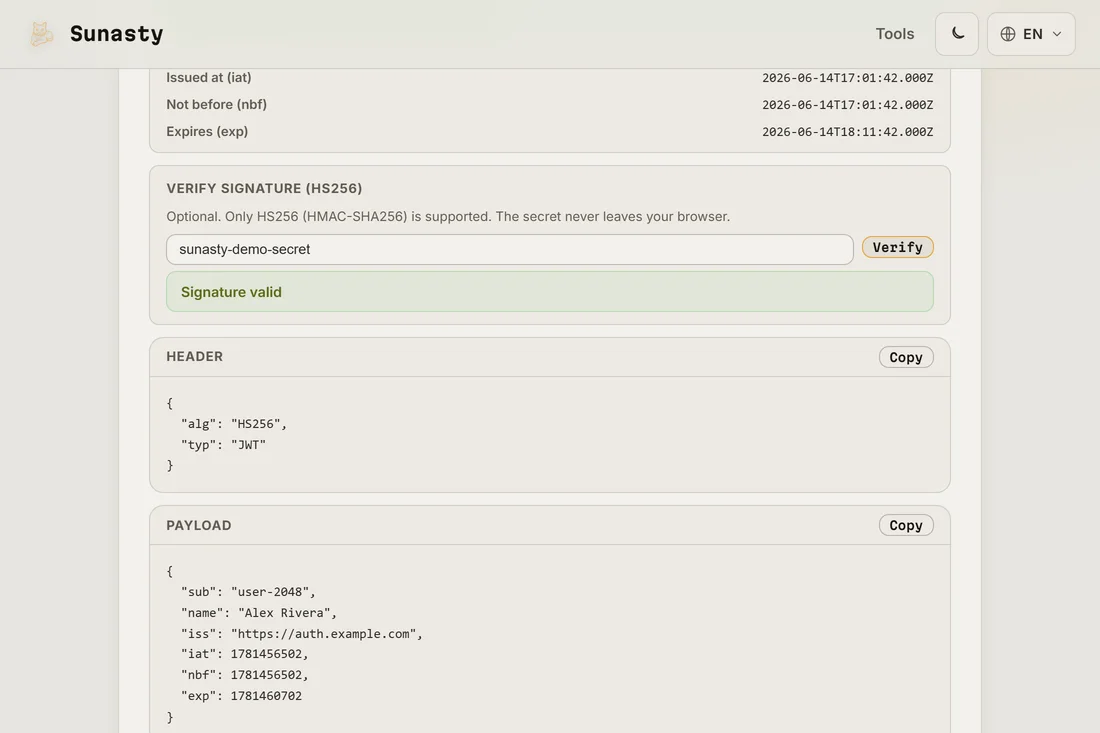
- If the token uses HS256 and you hold the shared secret, paste the secret into the verify field and click Verify. The tool recomputes the HMAC over the header and payload and compares it to the signature, so you learn whether the token is genuine or was tampered with. For RS256 or ES256 tokens, signing uses a private key you do not have, so the tool inspects the claims but does not claim to verify the signature.
Why you should never paste a token into a random site
A JWT is not encrypted. The header and payload are only Base64Url-encoded, which means anyone who receives the token can read every claim inside it: email, user id, roles, internal flags. If the token is an access token that has not expired, whoever holds it can replay it and act as you until it does. When you paste a live token into a hosted decoder, you send all of that to that server's logs. Decoding the token on your own machine, with no upload, is the only way to inspect it without widening who can see it. You can confirm there is zero traffic by opening the network panel while you decode.
What the signature can and cannot tell you
The signature is what stops someone editing the claims and getting away with it. For an HS256 token, the same secret signs and verifies, so if you know the secret you can fully confirm the token is authentic right here. For RS256 and ES256 tokens, a private key signs the token and only the matching public key verifies it; the private key never leaves the issuer, so a client-side tool can read the claims but cannot honestly prove the signature without that public key. Treat the decoded payload as a claim made by the issuer, not as proof, until the signature is checked by whoever owns the verifying key. To hash or compare secrets separately, the hash generator on this site runs locally too.
JWT structure and what each part reveals
A JWT is three Base64url-encoded segments separated by dots: header, payload, and signature. The header declares the token type ("JWT") and the algorithm: HS256 (HMAC-SHA-256, a shared secret) or RS256 (RSA-SHA-256, a public/private key pair) are the most common. The payload carries claims such as `sub` (subject, usually a user ID), `iat` (issued-at Unix timestamp), `exp` (expiration Unix timestamp), `aud` (intended audience), and custom application claims like roles or scopes. Base64url is not encryption: it is a URL-safe variant of Base64 that replaces `+` with `-` and `/` with `_`, and omits padding. Anyone who holds the raw token string can decode the header and payload without the signing key. Only the signature segment requires the key to verify. This is why pasting a live production token into an external online decoder is a security risk: if the token's `exp` is still in the future and the service logs the input, the session it represents may be compromised.
The tools used in this guide
Frequently asked questions
Is my token sent to any server when I decode it?
No. The decoder splits the token, Base64Url-decodes the header and payload, and renders them in memory. The optional HMAC check uses your browser's built-in Web Crypto API. Nothing travels over the network, which matters because a JWT often contains personal data and a session that is still live. Open your browser's network panel while decoding and you will see no request go out.
Can this tool verify an RS256 or ES256 signature?
Not fully, and it will not pretend to. HS256 uses one shared secret for both signing and verifying, so pasting that secret lets the tool confirm the signature in your browser. RS256 and ES256 use a private key to sign and a separate public key to verify; the tool reads and validates the claims and expiry but stops short of asserting a signature it cannot check. For those tokens, verify on the service that holds the public key.