Article
What happens to your photo's metadata when you share it
A photo taken on a phone carries embedded metadata: camera model, timestamp, often exact GPS coordinates, written into the file the same way as on every consumer camera and phone that follows the Exif standard. What happens to that data next depends entirely on how the photo travels. A messaging app's photo picker usually recompresses the image for the chat and strips the embedded fields as a side effect; the same app's file-sending option usually hands over the original bytes untouched. Here is the one mechanism behind every channel, and how to check what actually happened to a specific photo instead of guessing.
One mechanism behind every channel
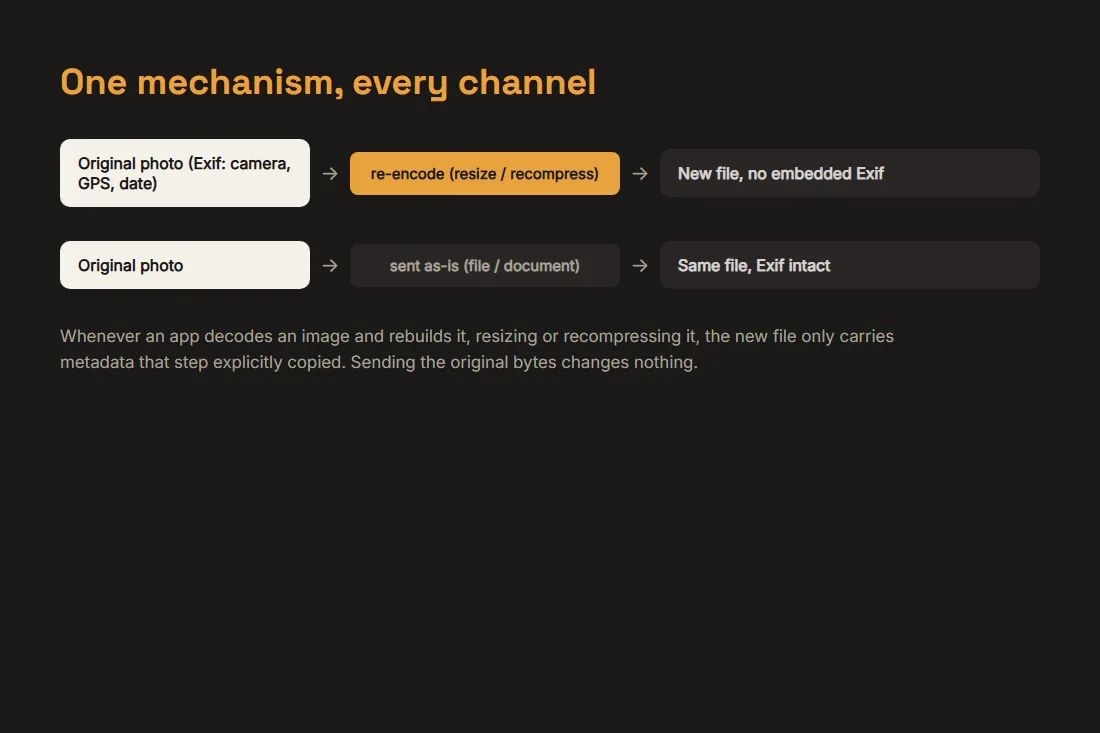
Metadata like Exif is embedded in the file's bytes, inside the same container as the pixels. Whenever an app decodes an image and re-encodes it, to resize it for a chat bubble, to compress it for a feed, to convert it to a different format, it builds a brand-new file, and unless that step explicitly copies the metadata across, the new file simply does not have it. Sending or copying the exact original bytes, on the other hand, changes nothing, so whatever was embedded stays embedded. Every channel described below is a version of this same fork: recompress, or hand over the original.
Messaging apps: photo picker versus file or document
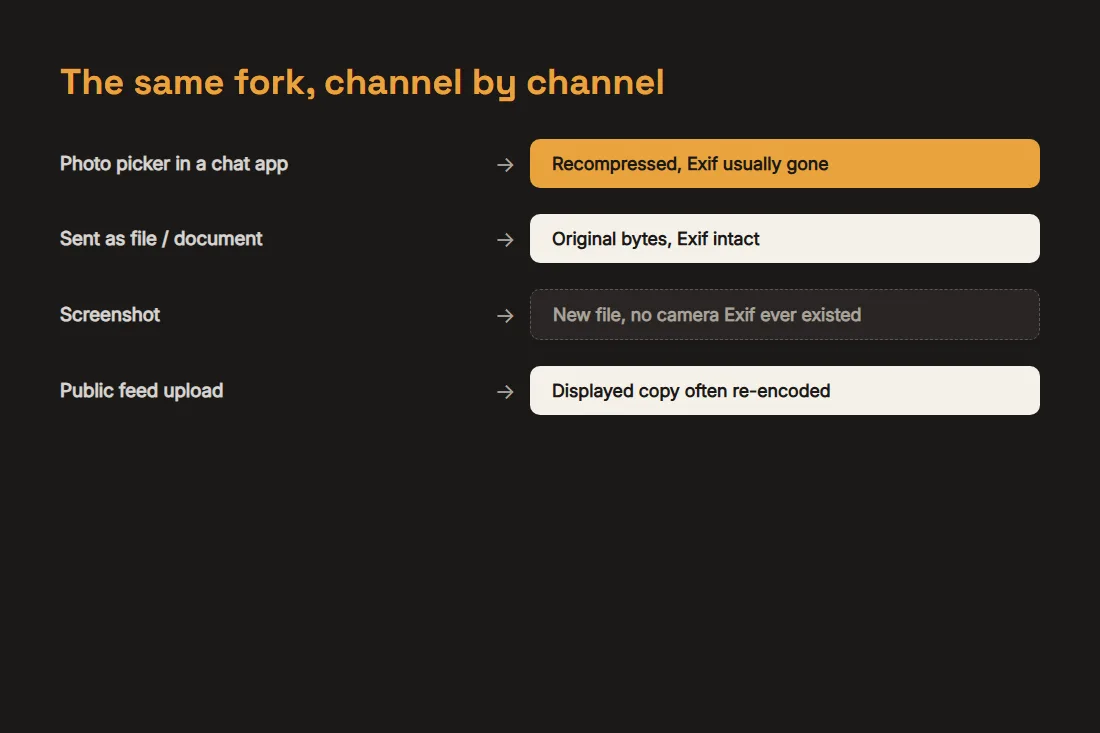
Most chat apps offer two distinct ways to send an image, and they behave differently for exactly the reason above. Picking a photo through the normal image picker, the one that shows a gallery grid and a preview, typically recompresses it to a size and quality suited for the chat, which is the re-encode step that drops embedded metadata. Choosing to send the same image as a file or document instead skips that pipeline and transmits the original bytes, metadata included. A photo sent as a file that looks sharper and downloads as a noticeably larger file than the same photo sent as a normal picture is direct evidence of that same re-encode having happened, or not.
Screenshots start with a clean slate
A screenshot is not a re-encoded photo, it is a brand-new image created by the operating system's screen capture pipeline, and it was never connected to a camera, so there is no Exif GPS field or camera model to inherit in the first place. What a screenshot does carry depends on the OS: some write a capture timestamp or basic dimensions into the file, none of it tied to where an underlying photo was actually taken. This is also why screenshotting a photo, rather than sharing the file, is sometimes suggested as a way to pass an image along without its original metadata, at the cost of a quality loss from the extra re-encode.
Public feeds go through the same fork
Photos uploaded to a public feed or story usually go through a server-side pipeline that generates the sizes the platform actually serves, thumbnails, feed-width versions, sometimes a full-resolution download, and that pipeline is another re-encode, so the copy visitors see is typically stripped of the metadata the original file carried. That says nothing about what the platform keeps on its own servers from the original upload, only about what ends up embedded in the version a stranger can download from the feed.
Checking a specific photo instead of assuming
General patterns are a starting point, not a guarantee: app behavior varies by version and by exact feature used, and the only way to know what a given file actually carries is to look. Our EXIF reader opens an image locally and lists every embedded field, GPS included, so you can check a photo before you send it. Our EXIF remover strips that metadata from a copy first, so whatever channel you use afterward, there is nothing sensitive left to carry, regardless of whether that channel would have stripped it anyway. Both tools run entirely in your browser: the photo you check or clean is never uploaded.
Tools in this article
Frequently asked questions
If a messaging app strips metadata, is my location definitely safe?
Not entirely. Removing Exif from the image file only affects what is embedded in that file; it says nothing about whether the app or platform itself logs your account, IP address or upload time on its own servers. Stripped metadata means the picture itself no longer carries the coordinates, not that the file was sent anonymously.
Does deleting a photo from my phone remove the location data from copies I already sent?
No. The moment a copy left your device, whatever metadata it carried at that instant became part of a separate file, on the recipient's device, on a server, wherever it landed. Deleting the original afterward has no effect on copies that already exist elsewhere.
How do I know for sure whether a specific photo still has GPS data?
Open it in an Exif reader and look at the GPS field directly rather than assume based on which app or setting you used. Behavior differs by app version and by which sending option was picked, so the only reliable check is reading the actual file you are about to send.