Article
Understanding Content Credentials and C2PA
You may have seen a small badge on a photo claiming it carries Content Credentials, or read that a camera or editing app now signs its output with C2PA. Here is a plain account of what that information is, what it can tell you, and the three limits you should keep in mind before treating it as proof of anything.
What Content Credentials and C2PA are
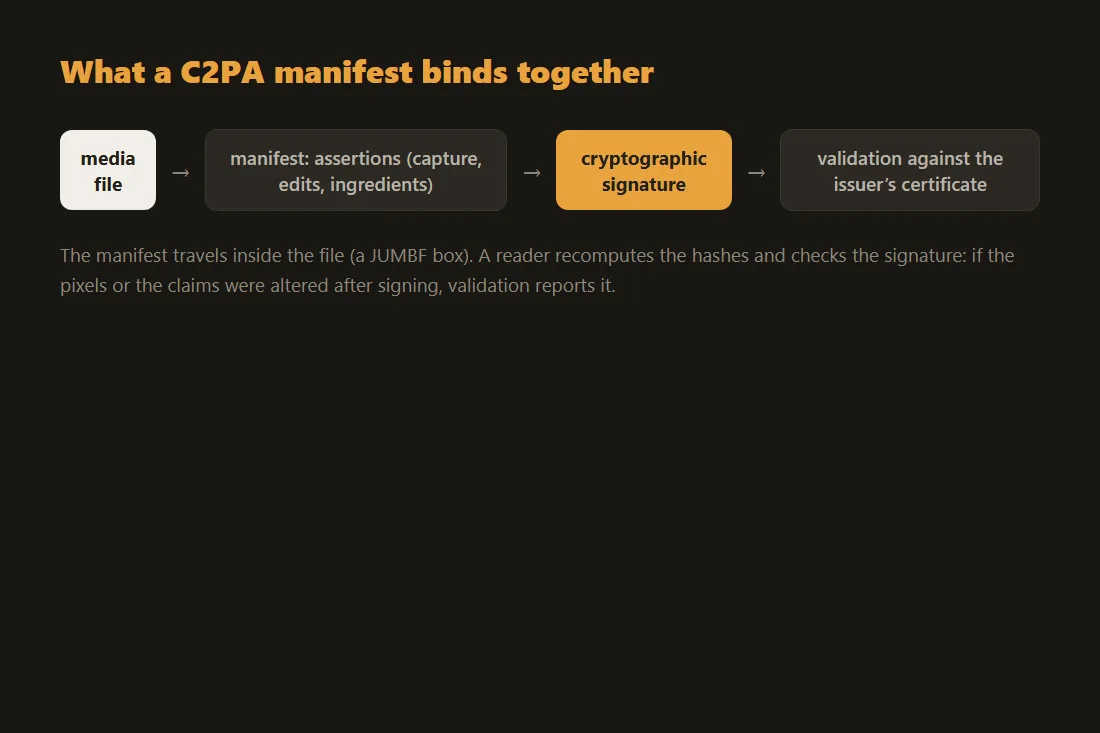
C2PA stands for the Coalition for Content Provenance and Authenticity, an industry group that publishes an open specification for attaching tamper-evident provenance data to a media file. Content Credentials is the consumer-facing name for that data when it is written by cameras, phones and editing software. In practice it is a small signed record embedded inside the image, video or audio file. The record can list things like which device or application produced the file, when it was created, and which editing actions were applied along the way, such as a crop or a colour adjustment. A cryptographic signature wraps the record so that any later change to the protected content breaks the seal. The aim is provenance, a documented chain of where a file came from, rather than a verdict on whether the content is true.
What our reader does with it
The C2PA reader on this site reads the Content Credentials manifest when one is present and shows you the claims it contains, in your browser, with nothing uploaded. The file you drop in is parsed locally, so the photo or document never leaves your device. When a manifest is found, you see the issuer, the recorded actions, and whether the signature validates against the embedded certificate. This is descriptive, not a judgement: the tool reports the signals that are actually in the file. It pairs naturally with the EXIF reader, which surfaces camera and location metadata, and the Office metadata viewer for documents, so you can inspect several layers of provenance side by side without trusting a server with the original.
Three limits worth stating plainly
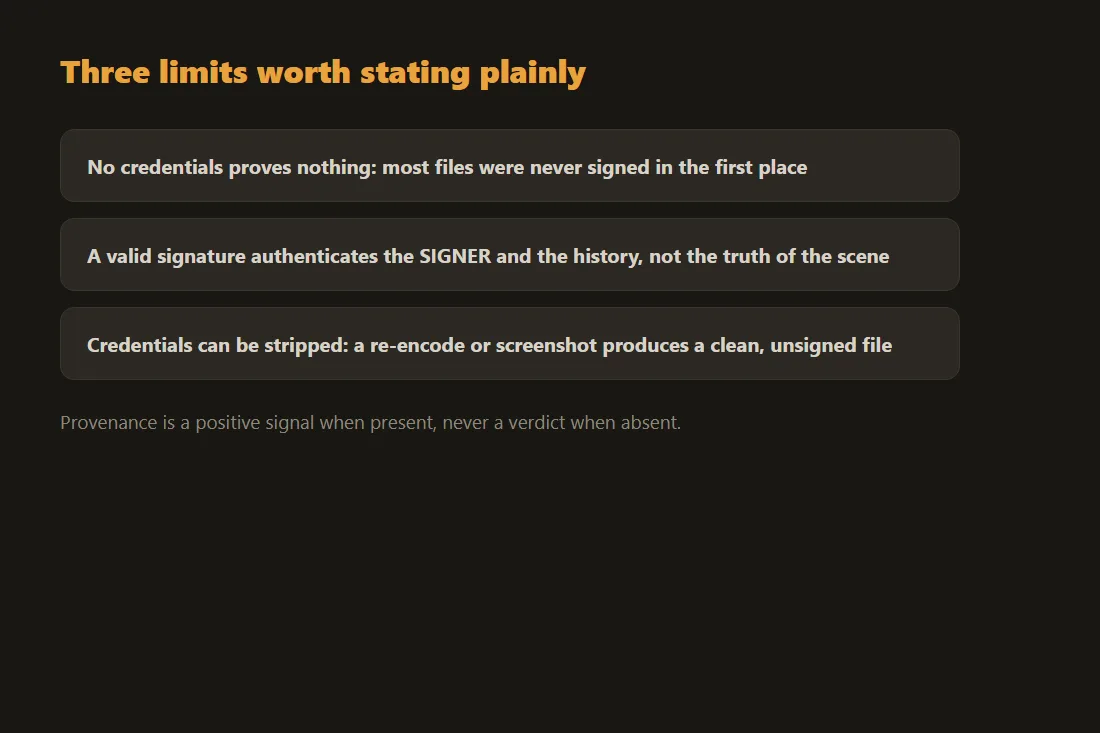
First, a reader can only show Content Credentials when they are present. Most files in circulation today carry none at all, because the device or software that made them never wrote any. Second, the absence of Content Credentials proves nothing about authenticity. A file with no manifest is not fake, and it is not genuine either; it simply has no provenance record to read, which is the normal state for the vast majority of media. Treating a missing manifest as a sign of manipulation would be a mistake. Third, a valid signature does not guarantee that nothing was manipulated. The signature confirms that the content matches the signed record and that the record came from the stated issuer. It does not certify that the scene in front of the camera was real, that an edit outside the C2PA chain did not happen, or that the original capture was honest. Provenance and truth are different questions.
Reading provenance responsibly
The useful way to treat Content Credentials is as one piece of context among several, not as a single yes-or-no answer. When a manifest is present and its signature validates, you learn something concrete about how the file was produced and edited. When it is absent, you have learned only that there is no record, and you fall back on the same judgement you would apply to any unlabelled file. We deliberately do not offer any AI-detection feature, because no tool can reliably decide whether content was generated or altered, and a confident claim either way would be dishonest. If you want to remove metadata you did not mean to share before publishing, the guide on removing EXIF and GPS data from photos and the guide on removing metadata from Word documents cover the practical steps, all of it running locally on your own device.
The cryptographic architecture of C2PA manifests
The security of the Content Credentials framework rests on standard Public Key Infrastructure (PKI) and well-established hashing algorithms. When a compliant application generates a C2PA manifest, it computes a cryptographic hash of the underlying media data, typically using SHA-256 or SHA-384. That hash is stored in the assertion store inside the manifest. The manifest is then digitally signed using an X.509 certificate: the issuer signs the manifest hash with their private key. Validation performs two independent checks: it verifies the signature against the issuer's public key, confirming the manifest was created by the claimed entity and has not been altered, and it re-hashes the media data to confirm it matches the recorded hash. A single altered pixel changes the media hash entirely, breaking the cryptographic seal and producing an invalid validation result.
JUMBF structures and metadata embedding
C2PA data is embedded into files using the JPEG Universal Metadata Box Format (JUMBF), standardized under ISO/IEC 19566-5. JUMBF allows hierarchical data structures to be injected into media files without affecting legacy parsers. In a JPEG file, the JUMBF box sits inside an APP11 application marker segment. In MP4 video or audio files, it occupies a specific uuid box within the ISO Base Media File Format structure. The manifest store held in this container includes the active manifest and any historical manifests forming the provenance chain. Because JUMBF supports referenced data, a manifest can include thumbnails of the file at previous editing stages, letting reviewers inspect recorded alterations such as crops or color grades. A browser-based reader extracts these JUMBF boxes, parses the CBOR-encoded manifest data, and performs cryptographic validation entirely through local WebCrypto APIs, so the file never needs to reach a validation server.
Tools in this article
- Content Credentials (C2PA) readerRead the C2PA / Content Credentials provenance of an image or file in your browser. No upload.
- Read EXIF metadataView and strip EXIF metadata from your photos without sending them to a server.
- Office metadata removerRemove the hidden document properties (author, company, dates…) from Word, Excel and PowerPoint files. 100% in your browser, no upload.
Frequently asked questions
If a photo has no Content Credentials, does that mean it was faked or edited?
No. The absence of a manifest tells you only that no provenance record was written, which is the normal situation for almost every file in circulation. It is not evidence of editing, and it is not evidence of authenticity. You cannot read anything into a missing manifest beyond the fact that there is nothing to read.
If the C2PA signature is valid, can I trust that the image is real and unaltered?
A valid signature confirms that the content matches the signed record and that the record came from the stated issuer. It does not prove that the scene was real or that no manipulation happened outside the C2PA chain. Someone can stage a photograph and still sign it correctly, and edits made by tools that do not participate in the standard leave no trace in the manifest. Read a valid signature as confirmed provenance, not as confirmed truth.
Does reading Content Credentials upload my file anywhere?
No. The C2PA reader parses the file entirely in your browser, so the image, video or document stays on your device. You can confirm this by opening your browser's developer tools and watching the Network tab while you load a file: no upload request is made.